Password Strength Analyzer
Check your password security and get personalized improvement suggestions
Analyze Your Password
Security Insights
Security Report
Suggested Improvements
Password History (Last 10)
Password Templates
Introduction
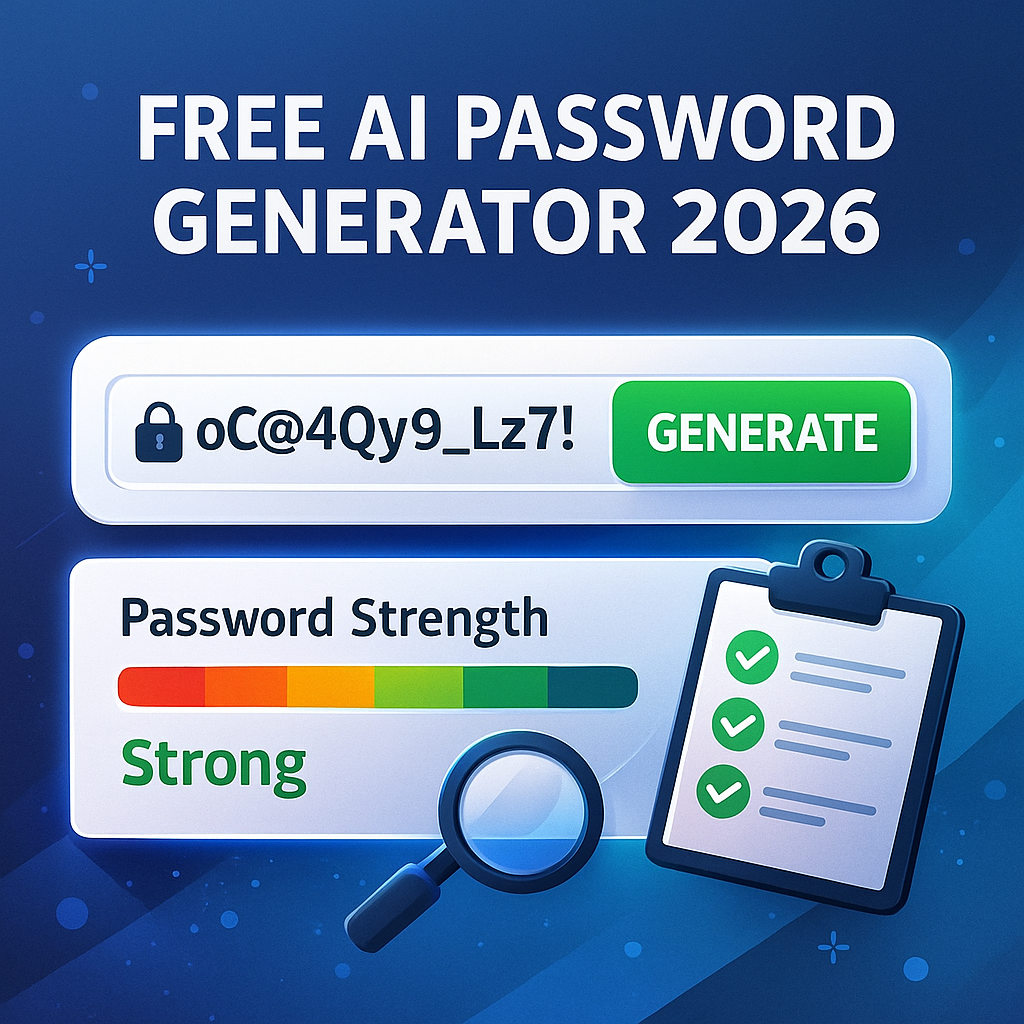
In today’s digital world, strong passwords are your first line of defense. But choosing a password that’s both “easy to remember” and “hard to crack” is tough — and letting guesswork decide usually ends in weak, vulnerable credentials. That’s where a free AI password generator 2026 comes to the rescue. With a few clicks, you can generate a completely random, strong password — and instantly analyze its strength with an AI password strength analyzer tool.
This article will show you how such tools work, why they matter, and how to use them to stay safe online. You’ll also get helpful tips, examples, and answers to common questions.
Why Strong Passwords Matter
- Prevent hacking & data breaches: Weak or reused passwords are among the top reasons for account takeovers. A strong password — long, unpredictable, random — drastically reduces that risk.
- Protect personal & financial data: From emails to bank accounts, weak credentials can expose sensitive data. Strong passwords guard your privacy.
- Meet modern security standards: Many platforms now require longer, complex passwords. Automatically generated passwords help you comply without hassle.
But generating a password manually often leads to predictable choices — birthdates, pet names, simple words. That’s why using an automated, intelligent password generator makes sense.
What is an AI Password Generator & Strength Analyzer (2026)?
An AI password generator with strength analysis is a web-based tool (or standalone software) that helps you:
- Instantly generate a random password based on parameters (length, complexity, character types).
- Evaluate that PASSWORD’s strength — measuring how resistant it is to cracking — using built-in algorithms or AI heuristics.
- Suggest improvements (e.g., add symbols, increase length) to maximize security.
When you use a free AI password generator 2026, you get both creation and analysis — so no more guesswork.
🔹 How It Works (Behind the Scenes)
- Randomization: The generator uses a secure pseudorandom algorithm to select characters (letters, numbers, symbols) — ensuring high entropy.
- Strength Analysis: The tool checks password length, character variety, use of common patterns or dictionary words, and estimated “time to crack.” Some use AI/ML models to approximate real-world cracking methods.
- User Interface: You input preferences (e.g., 16-character password, include symbols), click “Generate,” and instantly see your new password along with a strength score or gauge.
🔹 Key Features to Look For
- Password length flexibility (12–32+ characters)
- Mix of uppercase, lowercase, numbers, symbols
- No common words or predictable patterns
- Built-in strength meter & suggestions
- Free and no signup required (for global accessibility)
- Zero storage policy — many good tools don’t store your password (privacy-first)
Benefits of Using Free Online Secure Password Generator
| Benefit | Why It Helps |
|---|---|
| Instant strong passwords | You avoid predictable passwords and reduce manual effort. |
| Objective strength check | No guessing — strength meter tells you if password is safe. |
| Better security for multiple accounts | You can generate unique passwords for each site/app, reducing risk if one account is breached. |
| Global accessibility | Online, browser-based tools work from anywhere (no installation required). |
| Privacy-first (if no-signup & no storage) | Your password never leaves your device — no risk of server-side leaks or misuse. |
Step-by-Step Guide: How to Use a Free AI Password Generator & Strength Analyzer
- Open your preferred online tool (search “online secure password generator free” or “AI based password generator with strength analysis”).
- Choose password parameters:
- Length (e.g. 16 characters)
- Options: uppercase, lowercase, numbers, symbols
- Click “Generate password”.
- Review the generated password. Copy it safely (do not reuse across multiple accounts).
- Look at the strength analysis: if the score says “Weak” or “Fair,” regenerate or adjust parameters (increase length, add symbols, etc.).
- Save the password securely — ideally using a password manager (avoid storing as plain text).
- Repeat for each account — never reuse passwords.
Using this process ensures every password you use is strong, unique, and difficult to crack.
Tips for Maximizing Password Security
- Use long passwords (16+ characters or more): Each extra character increases entropy dramatically.
- Include a mix of character types: Uppercase, lowercase, numbers, symbols — avoid patterns like “Password123!”.
- Never reuse passwords across accounts: If one site leaks, others remain safe.
- Use a reliable password manager: Even strong, random passwords are useless if stored insecurely.
- Enable two-factor authentication (2FA) wherever possible: Password strength + 2FA = strong defense.
- Avoid storing passwords in browser auto-fill if not encrypted: Better to store in a dedicated manager.
FAQs
Q1: Is a “free AI password generator 2026” really safe to use?
Yes, provided the tool does not store your passwords, uses strong randomization, and runs over a secure (HTTPS) connection. Always check its privacy policy and avoid tools that demand signup or store your inputs.
Q2: Can I rely only on the generated password without any other security step?
A strong password helps a lot — but combining it with 2FA and good security habits (unique passwords, password manager) gives the best protection.
Q3: How often should I change passwords generated by the tool?
If you use a strong, randomly generated password and don’t suspect a breach, you don’t need to change it often. However, if a site notifies a data breach — update immediately.
Q4: Are AI-based generators better than traditional randomizers?
Yes — because many AI-equipped tools include strength analysis (checking for patterns, dictionary words, typical vulnerabilities) rather than just randomness. That additional analysis gives more confidence.
Q5: Can I trust a free tool instead of paid password generators?
Absolutely — many free tools offer strong generation + analysis at no cost. The key is: no signup, no storing, open privacy policy, and transparent operations.
Conclusion
In a world where cyber threats are constant, relying on memory or guesswork for passwords is risky. A free AI password generator 2026 with built-in strength analyzer offers an easy, fast, and secure way to create and evaluate strong passwords.
With a few clicks, you get high-entropy, random passwords — plus an objective strength assessment. By combining this with good security practices (unique passwords, password manager, 2FA), you significantly boost your online safety.
If you haven’t yet — try a trusted online secure password generator free tool today. Make random-password generation a habit. Your accounts — and your peace of mind — will thank you.